

Best PimEyes Alternatives: Free & Paid Options for 2026
Compare free and paid PimEyes alternatives, including Google Lens, Lenso.ai, and 221B, by search type, source access, privacy, pricing, and best fit.
Part of Face Search Tools & Alternatives →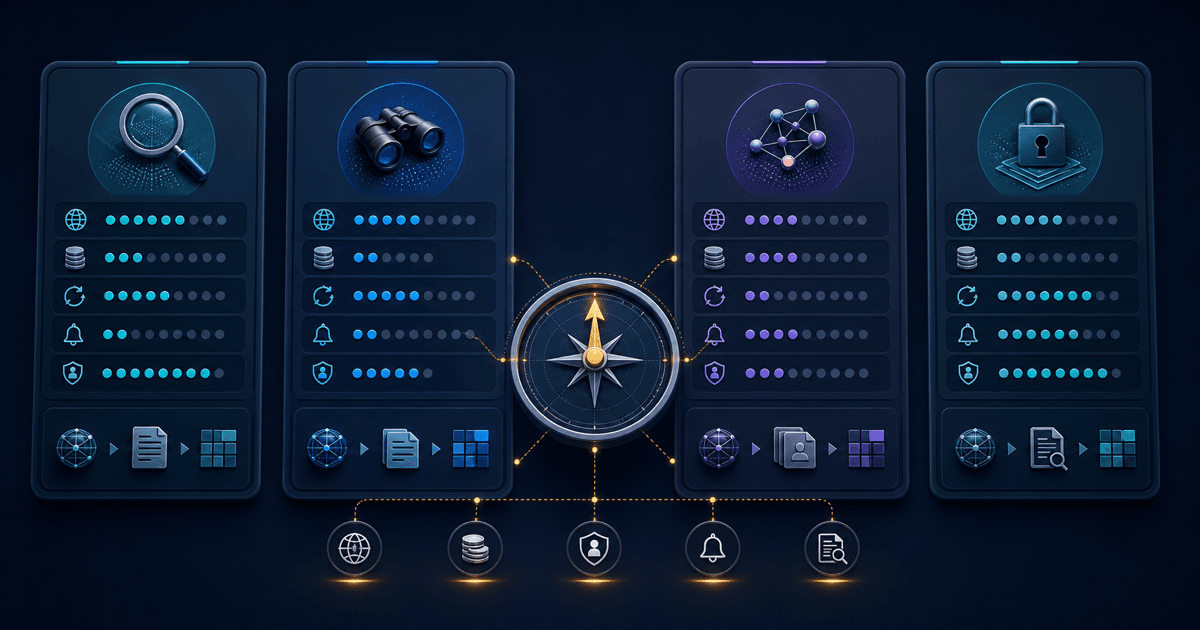
TL;DR: Which PimEyes Alternative Should You Use?
Use Google Lens first for a free exact-photo check. If you need candidate public pages across different photos, consider 221B for one bounded check, Lenso.ai for broader image categories, or PimEyes for public-web face search and monitoring. These are task-based editorial fits, not accuracy rankings.
| Your need | Start with | Why |
|---|---|---|
| Free exact-photo reuse check | Google Lens | Free first pass before paying for specialist face search |
| One bounded different-photo check | 221B | $6 USD no-subscription Starter Pack with candidate public-page review |
| People plus duplicates, places, and similar images | Lenso.ai | Multiple published image-search categories and paid unlocks |
| Recurring open-web face monitoring | PimEyes | Published single-search entry point, subscriptions and alerts |
PimEyes may still be the right choice when its workflow fits. Its official material says its index covers publicly available crawlable websites and excludes social media and video platforms. Its current pricing page presents free search, paid plans and a single-search entry point. Confirm the current checkout terms; one-time access is not exclusive to this website.
For head-to-head product differences, read the PimEyes vs Lenso.ai vs 221B comparison. For alternatives across several retrieval jobs, use the task-based face search alternatives guide.
Whatever tool you choose, open the original source page. A visual candidate is a lead, not proof of identity, account ownership, safety, or fraud.
How Did We Evaluate These PimEyes Alternatives?
We evaluated the alternatives against five buying questions: what is searched, what opens without payment, what a purchase unlocks, whether charges recur, and what the result cannot establish. This is a documentation review dated 22 September 2026, not an accuracy test or a ranking of whose face-matching engine performs best.
This website sells one of the options. That commercial relationship matters: these recommendations are editorial judgements, not independent endorsements. We did not upload the same set of consented test images to every provider, so we cannot compare recall, false matches, speed or typical result counts.
| Tool | Best-fit task | Access and payment model | Main limitation to check |
|---|---|---|---|
| Google Lens | Find reuse of a photo or visually similar material | Free visual search with links to relevant websites | Not a like-for-like replacement for a dedicated face-search index |
| PimEyes | Search your public-web image footprint | Free search, paid plans and a single-search entry point on its pricing page | Its FAQ excludes social-media coverage; confirm source access before paying |
| Lenso.ai | Search across people and other image categories | Subscription plans distinguish searches from source-link unlocks | Check the unlock allowance and the availability of your required category |
| 221B | One bounded public-page face search | $6 USD Starter Pack: 3 credits for one completed search, without monthly renewal | No-result searches still use credits; candidates need manual review |
Sources: Google image-search help, PimEyes pricing and FAQ, Lenso.ai plan documentation, and our current pricing. Competitor checkout amounts were not verified, so this table compares access models rather than declaring a cheapest provider.
A search allowance, a result allowance and an unlocked source link are different units. Compare the deliverable you need: opening a relevant original page. A large allowance is not useful if the source category is outside the index or the page cannot be reviewed.
What does one real 221B report contain?
Before paying, inspect the free saved public-figure report. It comes from one production search, not a simulated result or a new search on your photo. The saved case contains 100 candidate page records from 299 parsed candidates, across 27 canonical hostnames.
| What the saved case shows | What to check yourself |
|---|---|
| 100 saved candidate pages | Open a source link and check its page context. A result row is not a verified person or account. |
| 79 unique thumbnails across those records | Repeated thumbnails can appear on different pages; they are not independent confirmation. |
| Scores from 87 to 89 in this saved subset | A similarity score is not an identity probability. Read the source rather than treating a score as a verdict. |
This is one image of one public figure. It does not establish typical coverage, accuracy or what your search will return. The other 199 parsed candidates were not preserved in this case. Some linked pages may change or require login after capture. Read the case methodology and limitations, then decide whether this kind of output would help your question.
How Can You Check a Photo for Free Before Paying?
For a copied-photo question, start with Google Lens and inspect the linked websites before considering a paid face search. Google documents image upload and image-URL search, with results that can include similar images and websites. The practical goal is to find a usable source page, not collect the largest thumbnail grid.
Use the free route for the right question
- Choose an image you are permitted to use. Prefer your own photo or an image shared with permission. Remove chat text, account details and unrelated people before uploading.
- Open Google and select Search by image. On a computer, upload the file or paste its image URL, following Google's current instructions.
- Inspect the website result. A similar thumbnail alone does not show who posted it, when it appeared or whether the surrounding claim is true.
- Record the narrow finding. “This image appears on this public page” is supportable when you have opened that page. “This account belongs to this person” requires separate evidence.
For example, finding your own promotional photo on another website answers a reuse question. Finding a similar portrait does not answer whether a message sender owns the account shown on that page. These are illustrative situations, not results from a comparative test.
Know when another search would add nothing
If the original page answers the question, stop. An empty or irrelevant result is inconclusive: the source may be absent from that index, inaccessible, changed or visually different. Only consider another provider when different-photo candidates would help a permitted, specific task.
For phone controls, see the iPhone image-search guide or Android image-search guide. Our face search versus image search explanation covers the retrieval difference without treating either method as identity verification.
What Should You Check Before Unlocking a Result?
Check the source-link deliverable before buying: what opens, how many links are included, whether access expires, and whether the charge renews. Lenso.ai's Starter documentation, for example, lists 50 result unlocks separately from its search allowance. Those are different purchasing units, so a search count alone cannot tell you the usable output.
The official plan page is the source for that allowance, not a promise that 50 relevant pages exist for your image. Ask the same questions of every provider. A paid preview is not necessarily useful simply because it is blurred or locked.
| Before purchase | What to establish | Why it matters |
|---|---|---|
| Source access | Does payment expose a webpage URL, an image URL, or both? | An image alone can lack an author, date and context. |
| Allowance | Is the unit a search, an unlocked result, or a credit? | Compare usable output rather than unlike headline numbers. |
| Renewal | Is this a one-off purchase or a recurring charge? | A single question may not justify an ongoing plan. |
| Empty output | What happens if no candidate appears or the source has changed? | Buying access does not make an external page available. |
| Retention | Who stores uploads or history, and how can you request removal? | Deleting a search is not removing an image from its original website. |
After opening a link, compare the actual photo with the search thumbnail. Read the caption and nearby text; distinguish the page's publication date from a search engine's discovery date. Note inaccessible or irrelevant pages instead of treating a thumbnail as confirmation.
Several links can repeat one syndicated story or one copied image. That is not several independent confirmations. Stop if further searches would expose unrelated personal information or if you already have enough information for the immediate decision.
When Should You Keep PimEyes Instead of Switching?
Keep PimEyes on your shortlist if its public-web face-search and monitoring options fit your own-image task. Its current pricing page also presents a single-search entry point, so describing it as subscription-only would be inaccurate. Compare the actual checkout terms with the alternative rather than assuming a switch will save money.
The provider's pricing page lists plans and alerts, but the single-search checkout amount was not verified for this review. We make no price-saving claim against it. Confirm what the selected purchase unlocks and whether a recurring plan is selected before paying.
PimEyes' FAQ excludes social-media platforms from its index. Switching plans does not address that stated exclusion. Equally, another tool's public-web wording is not a guarantee that it can find a particular social account; none of these options gives access to private accounts.
If monitoring is your recurring task, compare the alert workflow, removal process and payment terms. For a copied image, try free image search first. To inspect a report format, a saved example can answer that without uploading another photo.
How Should Privacy, Price, and Source Access Change Your Choice?
Privacy, price, and source access should narrow the choice before upload. Read current provider terms, submit the minimum lawful image, confirm whether original links require payment, and avoid unnecessary recurring plans. No pricing tier converts candidates into identification, makes private sources available, guarantees deletion, or removes the need for careful original-page review.
Start by defining the retrieval job. Google Lens may answer an exact-photo question without a specialist subscription. If candidate pages across different photos are necessary, compare the current PimEyes scope statement, Lenso.ai product categories, and the 221B methodology rather than assuming every face-search index covers the same sources.
For 221B, review the current methodology and pricing before uploading. Whichever option you choose, use one lawful image, open original source pages, treat a no-result search as inconclusive, and avoid background checks, surveillance, doxxing, policing, or high-impact decisions.
Which PimEyes Alternative Should You Choose?
Under this guide’s published criteria, consider Google Lens for exact-image triage, PimEyes for its documented public-web face-search options, Lenso.ai for broader image categories, or 221B for bounded candidate-source review. These are conditional editorial fits. Choose none when the question is invasive, already resolved, or unlikely to change a safe next action.
- Consider 221B for a bounded one-off public-source or dating-safety review where candidate-page context matters.
- Choose Lenso.ai for broad image search across people, duplicates, places, and similar results.
- Choose Google Lens before paying if exact-photo reuse may answer the question.
- Stay with PimEyes if its single-search option or ongoing monitoring fits your task and budget.
The safest workflow is exact-image search first, face search only when necessary, and original-source review throughout. No option makes an identity, background, safety, fraud, or complete-coverage determination.
221B walkthrough
Assess one alternative workflow
The video shows candidate-source review, not benchmark superiority or identity verification.
Frequently Asked Questions
What is the best PimEyes alternative?
Under this guide’s criteria, 221B may fit a bounded one-off public-source or dating-safety review, Lenso.ai covers broader reverse-image categories, and Google Lens fits exact-image triage. Compare current terms; none identifies a person or guarantees coverage. Original-page review still determines whether any candidate is useful.
Is there a free PimEyes alternative?
Under the criteria used in this guide, Google Lens may suit free exact-photo and similar-image triage. It is not a dedicated facial-similarity search service, so decide whether another tool is necessary only after source review. This is an editorial inference from current public documentation, not a hands-on performance test.
Does PimEyes search social media?
PimEyes says its index is built from publicly available websites that allow crawling, such as news, media, blogs, and company websites, and that it does not search social media or video platforms. Review original sources and keep candidate matches and empty results provisional because retrieval cannot establish identity or complete coverage.
Is Google Lens better than PimEyes?
Google Lens is a free first pass for exact-photo reuse and visually similar images, while PimEyes offers dedicated public-web face search with paid plans and a single-search entry point. This is an editorial comparison, not hands-on testing; review original sources, and keep candidates and empty results provisional.
Is Lenso.ai better than PimEyes?
Under the current public pages reviewed in this guide, Lenso.ai may suit broader people, duplicate, place, related, and similar-image categories, while PimEyes may suit face-focused open-web monitoring. This is an editorial comparison, not hands-on testing; review original sources, and keep candidates and empty results provisional.
Which PimEyes alternative is best for dating verification?
Start with Google Lens if exact-photo reuse is the question. Consider 221B only when candidate pages across different photos would help a bounded dating-safety check. Review original sources and behavior; neither tool verifies identity, guarantees coverage, or turns a result into a safety conclusion.
Tags
Ready to run a real public-web check?
Start with the $6 USD Starter Pack when free image search is too narrow and you need source pages to review.
Start with the $6 USD Starter PackRelated Articles
PimEyes vs Lenso.ai: A Source-Access Comparison for 2026
Compare PimEyes and Lenso.ai by public-web scope, source access, current plan structure, upload statements, alerts, and safety limits—without invented accuracy scores.
🧭Best Face Search Alternatives: 4 Options for 2026
Compare face search alternatives for exact-image checks, open-web monitoring, broader image discovery, and verification-first candidate-page review.
⚖️Free vs Paid Face Search Tools (2026): What You Actually Get
A practical 2026 guide to free vs paid face search tools: what free methods do well, where paid tools help more, and when 221B is worth the upgrade.