

How to Find Someone by Photo: 7 Safe Steps (2026)
Learn how to find someone by photo safely using reverse image search, reverse face search, source-page review, and a verification-first workflow.
Part of Photo Misuse & Source Tracing →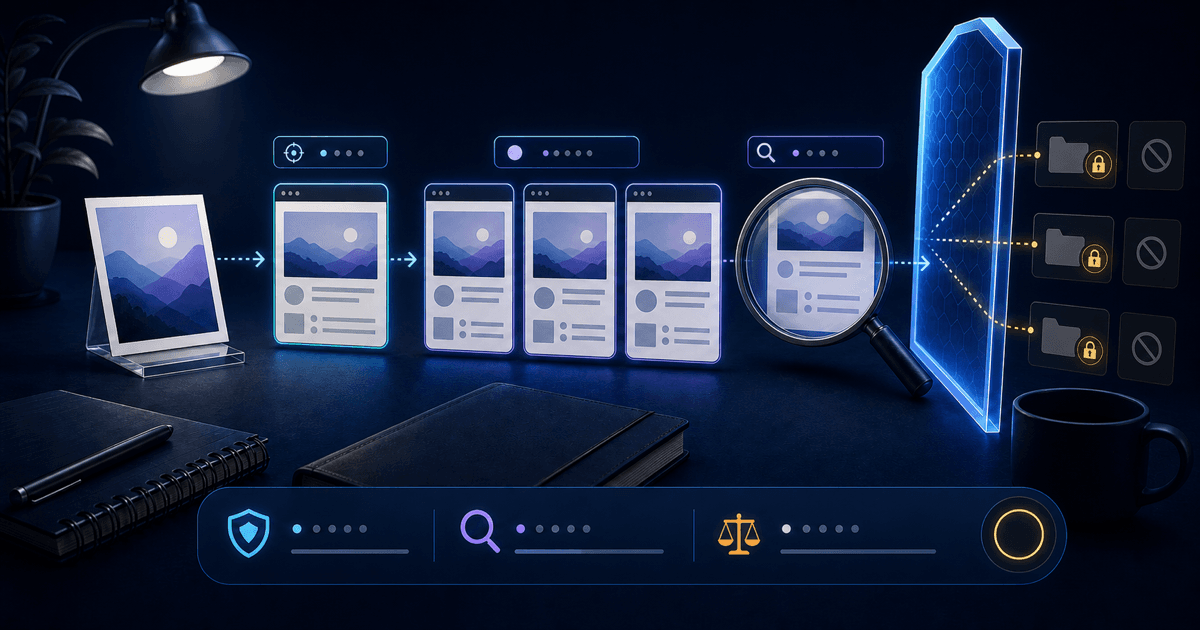
TL;DR: How to Find Someone by Photo Safely?
To find someone by photo safely, look for candidate public sources rather than trying to identify a stranger. Start with Google Lens for exact or similar images, consider face search only for a necessary different-photo question, and open every promising original page. Keep each result provisional and treat no useful result as unresolved.
The FTC recommends reverse image search when a suspicious dating profile may use another person’s picture. That check is one safety signal, not an identity verdict: the person pictured may be unrelated to the account or may also be a victim of photo theft.
Yes, you can often find public clues from a photo, but you should think in terms of candidate pages, not guaranteed identification. A photo can lead you to reused images, similar images, public profiles, articles, and pages that may contain a similar-looking face.
The safest expectation is simple: the search gives you leads, then you verify context. Names, usernames, dates, captions, page type, and whether multiple sources address the same narrow public claim all matter more than one isolated result.
This is why a good workflow uses both reverse image search and reverse face search. They answer different questions, and neither should replace manual review.
How Can You Find Someone by Photo With Google Lens?
Google Lens can surface similar images and websites containing the same or a similar image. Add a name, username, occupation, location, or quoted phrase only when that detail is already known and relevant. Use one clear lawful image, and stop after the narrow question is answered or remains unresolved.
- Choose the cleanest face photo. Use one visible face, good lighting, and as little blur or obstruction as possible.
- Run Google Lens or another reverse image search. On a computer, upload the file, drag it into the search box, paste an image URL, or right-click an image in Chrome. On a phone, open the image in the Google app or Google Photos and select Lens.
- Add reverse face search if needed. If exact-image search is thin, use face search to check whether a similar-looking face appears in different public photos.
- Open the original source pages. Review names, usernames, dates, captions, page history, and whether the page looks trustworthy.
- Compare multiple signals. Compare only independently relevant public clues and keep alternative explanations visible.
- Suggest a voluntary in-app check when appropriate. A short video call may add context, but either person may decline and refusal is not evidence of deception.
- Stop if the use case becomes invasive. Do not use photo search for stalking, harassment, doxxing, or discrimination.
When available, open Google’s About this image. It may show when Google first saw a similar version, other pages using it, and earlier uses. Compare the oldest available context with the claim you are checking; an older page under a different story can reveal reuse without proving who controls the newer account.
| Lens result | What it may support | What it does not prove |
|---|---|---|
| Same photo on an older page | The image existed before the current profile or post | Who copied it or who controls either account |
| Same photo under another name | The two public claims conflict and need review | Which name is genuine |
| Visually similar image | A possible source, crop, edit, or related page | That it depicts the same person |
| No useful result | Google did not surface a useful indexed match | That the photo is original or the account is authentic |
Image age and metadata are context signals, not final proof. Google notes that associated credit or source-type metadata can be modified. Open the page, check its publisher and date, and look for an independent source before acting.
Using an iPhone? Follow the iPhone photo and screenshot search steps before reviewing the source pages.
When Should You Use Reverse Face Search?
Use reverse face search only when an indexed public page containing a similar-looking face in a different photo could materially clarify a bounded source question. It cannot identify the account owner or search every page. Review several original candidates, keep lookalikes and stolen images possible, and avoid contact with people shown in results.
This method is most useful when public profiles, articles, or other crawlable pages could provide context for the narrow claim. Choose a service by its documented source scope, privacy terms, result access, and limits rather than by an identity promise.
Do not treat a face-search score as proof. Treat it as a ranked lead that tells you which source pages to inspect first.
What Types of Photos Work Best?
Clear, well-lit, front-facing photos with one visible adult face usually provide more usable visual information than blurred, filtered, occluded, low-resolution, or group images. That is input guidance, not a success promise. Remove bystanders and unrelated text, never submit intimate or covert material, and stop if no lawful suitable image is available.
| ✅ Works Well | ❌ Poor Results |
|---|---|
| Clear, front-facing headshot | Group photos with many faces |
| Good lighting, natural or studio | Heavy filters or face-altering effects |
| A face large enough to review clearly | Very low-resolution or blurry images |
| One unobstructed face with useful detail | Sunglasses, masks, or face coverings |
| Recent or moderately recent image | Very old photos with major appearance changes |
If you only have a group photo, crop to the face you want to search before uploading. If you only have a screenshot, keep the highest-resolution version available.
Which Tool Should You Use?
Choose exact-image search for copies of one file, face search for candidate indexed pages across materially different photos, and source review for evaluating a narrow public claim. Check current scope, privacy terms, access, and price before uploading. No tool identifies an account controller, guarantees coverage, or replaces official safety and reporting options.
| Situation | Suggested first step | Why |
|---|---|---|
| You want to know if one photo was copied | Google Lens or reverse image search | It can surface the same image, similar images, and pages containing the image. |
| The exact image search finds nothing | Consider a bounded face search | It may surface candidate indexed pages with a similar-looking face in different photographs. |
| You are checking a dating profile | Image search, then face search | The FTC recommends reverse image search for suspicious profile pictures, but different photos may need a face-search step. |
| You found a possible match | Source-page review | The page context decides whether the match is meaningful. |
If you are deciding between the two workflows, read the detailed comparison of reverse face search vs reverse image search. For a professional approach, use the consent-first LinkedIn profile verification guide to check badge scope, the employer, and the communication channel before considering photo evidence.
What Should You Avoid?
Avoid private-account workarounds, covert or intimate images, children’s photos, surveillance, doxxing, harassment, relationship mapping, and high-impact decisions. Do not contact a candidate, publish a name, or infer fraud from resemblance. If money, threats, coercion, or unsafe links are involved, preserve relevant evidence and use official support instead of expanding the search.
- Do not click verification links from strangers. Go directly to trusted sites instead.
- Do not assume a matching face proves identity. Similar people, reused photos, and stale pages can mislead you.
- Do not use private or hacked content. Keep the workflow limited to public, lawful sources.
- Do not contact or accuse the person in the image based on one result. The person whose photo was copied may be a victim too.
If the situation involves safety, money, threats, or fraud, stop the conversation and use official reporting channels rather than trying to investigate everything yourself.
When Is a Public-Web Face Search Worth Trying?
Try 221B only after exact-image search when a different public photo may lead to source context needed for a proportionate decision. It can return candidate indexed public pages for manual review, not an identity answer. Read the methodology and pricing first, minimise the image, and keep empty or ambiguous retrieval explicitly unresolved.
A practical rule: if Google Lens finds the exact image, review that source first. If it does not, and the source-context question still matters, use one clear lawful face photo and inspect the candidate public pages the service returns.
Before acting, compare the page date, publisher, caption, and image role with the narrow claim you are checking. A namesake, repost, lookalike, old biography, or stolen photo may explain a conflict. Keep alternatives visible, seek one independent source when appropriate, and leave the question unresolved when context does not support a careful conclusion.
Before uploading, read the current pricing and limits and the public-source methodology.
Which Next Step Is Proportionate?
The proportionate next step may be reviewing one authoritative source, asking a neutral question, staying in-app, delaying a transaction or meeting, reporting conduct, or stopping. Choose the action supported by the strongest evidence with the least privacy impact. Do not continue searching merely to replace uncertainty with a confident label.
- The face is clearly visible in your input photo.
- You checked exact-photo matches with reverse image search.
- You used reverse face search only when facial-similarity candidate retrieval was needed.
- You opened the original source page instead of relying on a preview.
- You compared usernames, captions, dates, names, and page context.
- You avoided stranger-sent verification links and payment requests.
- You stopped if the use case became invasive or unsafe.
If those checks line up, the sources may support the narrow claim; they still do not establish identity or account control. If they do not, treat the result as unresolved.
Frequently Asked Questions
Can I find someone by photo for free?
You can start with Google Lens or another free reverse image search tool. Free tools are strongest for exact-photo and similar-image checks, but they may miss a similar-looking face when a different photo is used. Review original sources and keep candidate matches and empty results provisional because retrieval cannot establish identity or complete coverage.
Is reverse face search the same as reverse image search?
No. Reverse image search looks for the same image or visually similar images. Reverse face search is designed to find candidate public pages where a similar-looking face may appear in different photos. Review original sources and keep candidate matches and empty results provisional because retrieval cannot establish identity or complete coverage.
Can I find someone's social profile from a photo?
Sometimes, but only if a public, crawlable page is discoverable and the image or face can be matched. Private accounts, gated pages, and unindexed content are outside a responsible public-web workflow. Review original sources and keep candidate matches and empty results provisional because retrieval cannot establish identity or complete coverage.
What if Google Lens finds nothing?
If Google Lens finds nothing, try a cleaner lawful crop or higher-resolution image. Consider facial-similarity retrieval only when candidate public pages across different photos are necessary. An empty result proves neither authenticity nor deception; it means only that the service returned no useful indexed candidate.
Is it legal to find someone by photo?
Laws vary by jurisdiction and use case. Searching public web pages is different from stalking, harassment, discrimination, or using private data. Use photo search for legitimate verification and review local privacy rules when stakes are high. Review original sources and keep candidate matches and empty results provisional because retrieval cannot establish identity or complete coverage.
Tags
See the review format and real source links first
Review a sample report before uploading your own photo. The useful output is source-page context, not an automatic identity claim.
View a sample reportRelated Articles
How to Verify a LinkedIn Profile Safely: A Consent-First Guide
A consent-first workflow for checking LinkedIn profile claims through native verification badges, official company channels, public sources, and carefully limited photo searches.
🧭OSINT Face Search: An Ethical Public-Source Review Guide
A bounded guide to using face search for authorized public-source review, with source verification, uncertainty labels, privacy safeguards, and clear prohibited uses.
⚖️PimEyes vs Lenso.ai vs 221B: A Safer 2026 Comparison
A source-led 2026 comparison of PimEyes, Lenso.ai, Google Lens, and 221B by public-web scope, access, privacy statements, source review, and safety limits.
🛡️Someone Is Using My Photos: Find the Fake Profiles (2026)
Worried someone is using your photos for a fake profile? A 2026 step-by-step guide to finding impersonation accounts with reverse face search, capturing evidence, and reporting them.