

Free vs Paid Face Search Tools (2026): What You Actually Get
A practical 2026 guide to free vs paid face search tools: what free methods do well, where paid tools help more, and when 221B is worth the upgrade.
Part of Face Search Tools & Alternatives →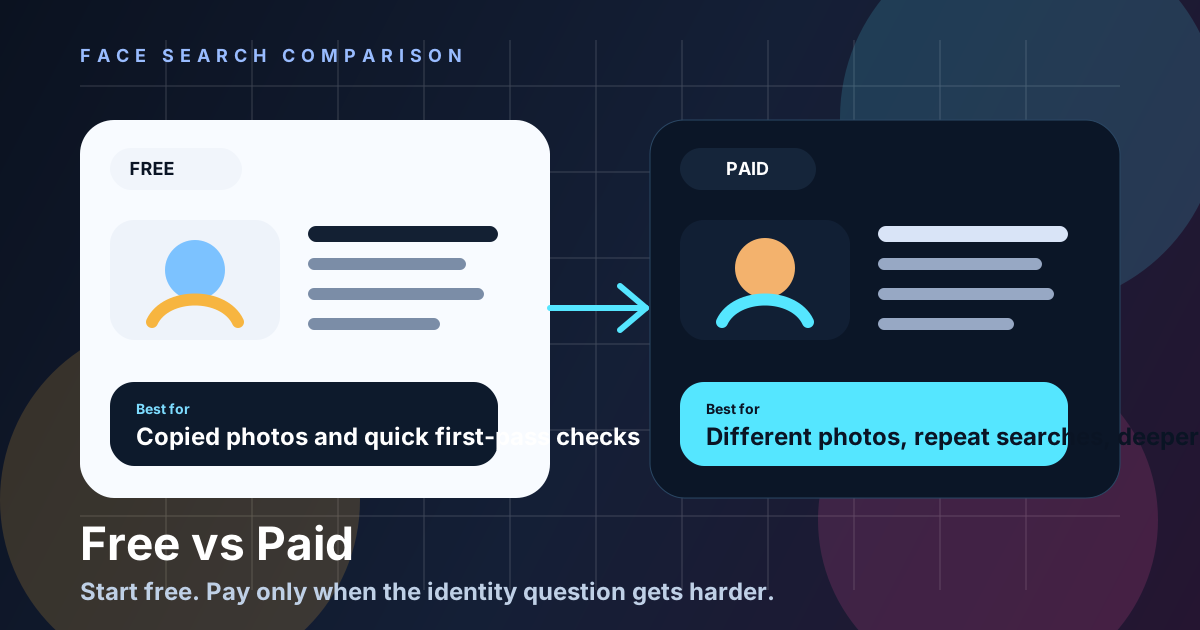
TL;DR: What Is the Short Answer on Free vs Paid Face Search?
Use free exact-image search first when the question is whether a particular photo appears elsewhere. Consider a paid face-search service only when candidate public pages across different photos would answer a necessary, bounded question. Payment changes retrieval or workflow features; it does not verify identity, guarantee coverage, improve certainty, or establish safety.
Google says Lens can return similar images and websites with the image or a similar image. That makes free tools excellent for copied photos and first-pass checks. It does not make them the best answer for every verification job.
If PimEyes is your starting point, compare the best free and paid PimEyes alternatives by retrieval task and access model before subscribing.
Fast buying rule: start free. If the result is inconclusive, stop unless candidate pages across different photos would answer a necessary, bounded question. Only then consider a documented specialist service and review original pages.
What Can Free Image-Search Tools Actually Do?
Free visual-search tools can locate copies, crops, visually similar images, and pages containing the submitted image. They are useful for a fast first pass, but they do not search every public page or establish who controls an account. An empty result remains inconclusive and should not be treated as authenticity evidence.
- Exact-image search: Can it find the same image reused elsewhere?
- Different-photo candidate retrieval: Can it help when the person uses different public photos?
- Source review: Does it make it easier to inspect the original URLs and surrounding context?
- Economics: Is it cost-effective for one-off checks or recurring work?
- Workflow features: Does it give you search history, exports, and steadier repeat use?
- Error tolerance: How costly is a false lead for your use case?
That last point matters. NIST's FRTE 1:1 verification work defines false positives as incorrect associations of two photos of different individuals. In plain language, that means a visually similar result can still be wrong. No pricing model changes that. Manual source review still matters.
How Did We Compare Free and Paid Search Workflows?
We compare free and paid workflows by retrieval task, published source scope, access model, current price structure, source-page visibility, privacy terms, and false-confidence risk. We do not claim independent benchmark testing or universal accuracy. The useful question is which least-intrusive method can surface reviewable sources for the permitted task.
| Question | Free tools | Paid tools | Potential fit |
|---|---|---|---|
| Was this exact photo copied? | Usually strong | Strong, but often unnecessary | Free |
| Could a similar-looking face appear in different public photos? | Exact-image retrieval is usually too narrow | A specialist face-search feature may add candidates | Compare documented retrieval scope |
| Do I only need one or two checks? | Very good starting point | One-time credits can work | Free first, paid only if needed |
| Do I have authorized repeated work? | May require manual tracking | Some providers document saved-review features | Compare current terms and total cost |
| Do I need history or export features? | Check the specific tool | Check the specific provider and plan | Verify current documentation |
| Is the decision high impact? | Not sufficient | Not sufficient | Use the applicable official or qualified process instead |
When Is Exact-Image Search Enough?
Exact-image search is usually enough when you need to find copies of one photo, trace an earlier public source, or check whether a listing or profile reused the same file. Open the original result pages and keep alternative explanations possible, because image reuse does not reveal who copied whom or why.
- They are fast. You can upload an image to Google Lens in seconds.
- They are cheap. For one-off checks, free is the right default.
- They are good at duplicates. If a profile photo was stolen from a creator, influencer, or older public page, free image search can surface it quickly.
- They are good for triage. They help you decide whether the case is obvious or whether you need a deeper search.
This is why free exact-image tools are usually the right first step. Neither a free nor paid service provides complete coverage, and an empty result from either remains inconclusive.
When Might Paid Face Search Add Candidate Sources?
Paid face search may add candidate public pages when the exact input image was never reused but a similar-looking face appears in different public photographs. That retrieval difference can provide context, but a ranked candidate is not an identification, a payment is not a confidence upgrade, and no provider guarantees complete web coverage.
- Different photos break exact-image logic. Google Lens follows the image, not the person.
- Cropped or filtered images can hide the trail. A screenshot, filter, or crop can weaken free results.
- No workflow features. Workflow features vary by provider, so compare current documentation before relying on history, export, or saved-review functions.
- Thin context. A similar image result is not the same as a useful source page with names, dates, captions, and links.
When the question moves beyond locating a file, decide first whether a face-based search is necessary and proportionate. If it is, use paid output only as a candidate list for manual source review. The current PimEyes, Lenso.ai, and 221B comparison maps provider differences without inventing an accuracy ranking.
You are not just paying for more results. You are paying for a different type of workflow. A specialist face-search service may suit a permitted task when candidate public pages across different photos are necessary and its documented workflow fits the review.
- Different-photo candidate retrieval. Some specialist services document facial-similarity retrieval across indexed public pages.
- Authorized repeated review. Compare current history, export, access, and price documentation rather than assuming a paid plan is faster or more reliable.
- Source-review workflow. History or export features may help an authorized, bounded review, subject to current privacy, retention, and access terms.
- Clearer economics for recurring work. Compare the current total cost for your planned, permitted use instead of assuming a subscription or one-time purchase is cheaper.
Paid does not mean automatic truth. It may provide a different queue or review workflow for candidate public pages. You still need to verify the source page manually.
How Should Different Users Choose a Search Workflow?
Choose by the narrow job and search frequency rather than fear. Free tools fit copied-photo checks; one-time credits may fit an occasional bounded candidate-source review; and subscriptions may fit authorized recurring workflows after comparing live terms. Every option still requires original-source review and a willingness to leave uncertainty unresolved.
| Option | Potential fit | Current 221B example | Tradeoff |
|---|---|---|---|
| Free tools | Quick exact-photo checks | Google Lens first pass | Can miss candidate pages containing a similar-looking face in different photos |
| One-time credits | Occasional higher-stakes searches | 3 credits for $6 USD; each face search uses 3 credits | Higher per-search cost if you use it often |
| Monthly plans | Repeat verification or research workflows | Plans from $29 USD per month | Not ideal if you only search once in a while |
On 221B today, the entry point is a Starter Pack at $6 USD for 3 credits, while recurring workflows start at $29 USD per month. That makes the upgrade path simple: use free tools first, one-time credits for occasional hard cases, and monthly plans only when the workflow becomes recurring.
Different users should make different buying decisions. The right answer depends on search frequency, risk level, and whether the person may use different photos across the public web.
- Choose free tools first if you only need a quick copied-photo check, the stakes are low, and you are comfortable stopping when the result is inconclusive.
- Choose one-time paid credits if you only search occasionally but need a deeper facial-similarity candidate check across public photos.
- Choose a monthly plan only for an authorized recurring workflow after comparing current price, permitted uses, retention, access controls, and cancellation terms.
- Choose manual source review no matter what if the decision could affect money, safety, or reputation.
If a bounded dating-safety or public-source question remains after exact-image search, compare whether a paid tool’s current terms and candidate-source workflow add relevant context. Payment never guarantees a useful or more accurate result.
What Safety Limits Matter in Dating and Scam Checks?
In dating or scam-related situations, harmful conduct matters more than buying another search. Money requests, credential demands, unsafe verification links, secrecy, threats, and pressure justify protective action without an identity conclusion. A paid candidate page cannot certify a stranger or make an unsafe request safe, and no result proves authenticity.
FTC consumer guidance recommends reverse image search as one check. The FBI warns about romance-scam behavior. A paid face search may surface candidates across different photos, but it cannot verify identity or replace official support and safety steps.
Decide based on the narrow retrieval question, current provider terms, and whether another candidate page would change a proportionate next step—not on fear of being wrong.
The video below shows the intended upgrade path: start with a photo, review public-web candidates, and inspect the source pages before drawing conclusions. It is designed for cases where free image search gave you too little context.
Start with Google Lens; consider 221B only when a different-photo candidate search is necessary, and review original source pages throughout.
When Might a Paid Candidate-Source Search Help?
A paid candidate-source workflow may help only when exact-image search is inconclusive and another public source would materially change a proportionate next step. Compare current price, privacy, retention, cancellation, and permitted-use terms. Use one lawful image, review original pages, and keep matches and missing results within their documented limits.
Consider 221B only when another candidate source would materially change a proportionate next step, or when an authorized recurring workflow needs structured source review. Use one lawful image, compare current terms, open original pages, and keep both matches and no results within their limits.
To compare one-time packs with recurring plans, read Pricing. To understand the review standard before paying, read How It Works and Methodology.
Choose free for a quick copied-photo check. Consider paid search only when a similar-face candidate could answer a necessary public-source question and the provider’s current terms fit your use. Paying may change retrieval options; it does not create higher confidence by itself.
The cleanest path is usually free exact-image search first, a paid face search only when necessary, and original-source review throughout. Record no result as inconclusive and never use a candidate to contact, expose, or make a high-impact decision about someone.
Frequently Asked Questions
Are there any truly free face search tools?
Google Lens offers free visual and reverse-image search for copies, similar images, and pages containing an image. A provider may charge for specialist facial-similarity retrieval or workflow features, but price does not establish quality, identity, coverage, or safety. Compare current documentation before uploading.
Is Google Lens a face search tool?
Google Lens is a visual-search and reverse-image tool that may surface the same or similar images and pages containing them. Its public documentation does not describe it as a specialist facial-similarity service across different photographs, so keep its retrieval purpose separate from identity claims.
When should I pay for a face search tool?
Consider paying only when exact-image search is inconclusive and candidate public pages across different photos would help a necessary, bounded question or authorized recurring workflow. Payment may add retrieval or review features; it does not verify identity, improve conclusion certainty, guarantee coverage, or establish safety.
Are paid face search tools more accurate?
They may surface candidate public pages across different photos, but payment does not prove identity, accuracy, or complete coverage. A paid tool should provide sources to review, not replace source context, official support, or a proportionate safety decision. Review original sources and keep both candidate matches and empty results provisional because payment does not create identity certainty.
Is a paid tool worth it for dating verification?
Not automatically. Harmful behavior, platform tools, and official support matter more than buying another search. A paid service may surface different candidate public pages, but it cannot verify identity, guarantee coverage, establish account ownership, or make an unsafe request safe. Keep no result inconclusive.
Should I buy one-time credits or a monthly plan?
Compare the current total price, expiry, cancellation, history, export, retention, and permitted-use terms for your actual need. One-time credits may limit commitment, while a subscription may add documented workflow features. Neither payment model improves conclusion certainty, establishes identity, or guarantees a useful result.
Tags
Ready to run a real public-web check?
Start with the $6 USD Starter Pack when free image search is too narrow and you need source pages to review.
Start with the $6 USD Starter PackRelated Articles
How to Find Someone by Photo: 7 Safe Steps (2026)
Learn how to find someone by photo safely using reverse image search, reverse face search, source-page review, and a verification-first workflow.
⚖️Face Search vs Reverse Image Search: What's the Difference?
Reverse image search finds copies or visually similar images. Public-web face search may surface candidate pages across different photos. Here is how to use each without claiming identity.
🔎Best PimEyes Alternatives: Free & Paid Options for 2026
Compare free and paid PimEyes alternatives, including Google Lens, Lenso.ai, and 221B, by search type, source access, privacy, pricing, and best fit.